What you get
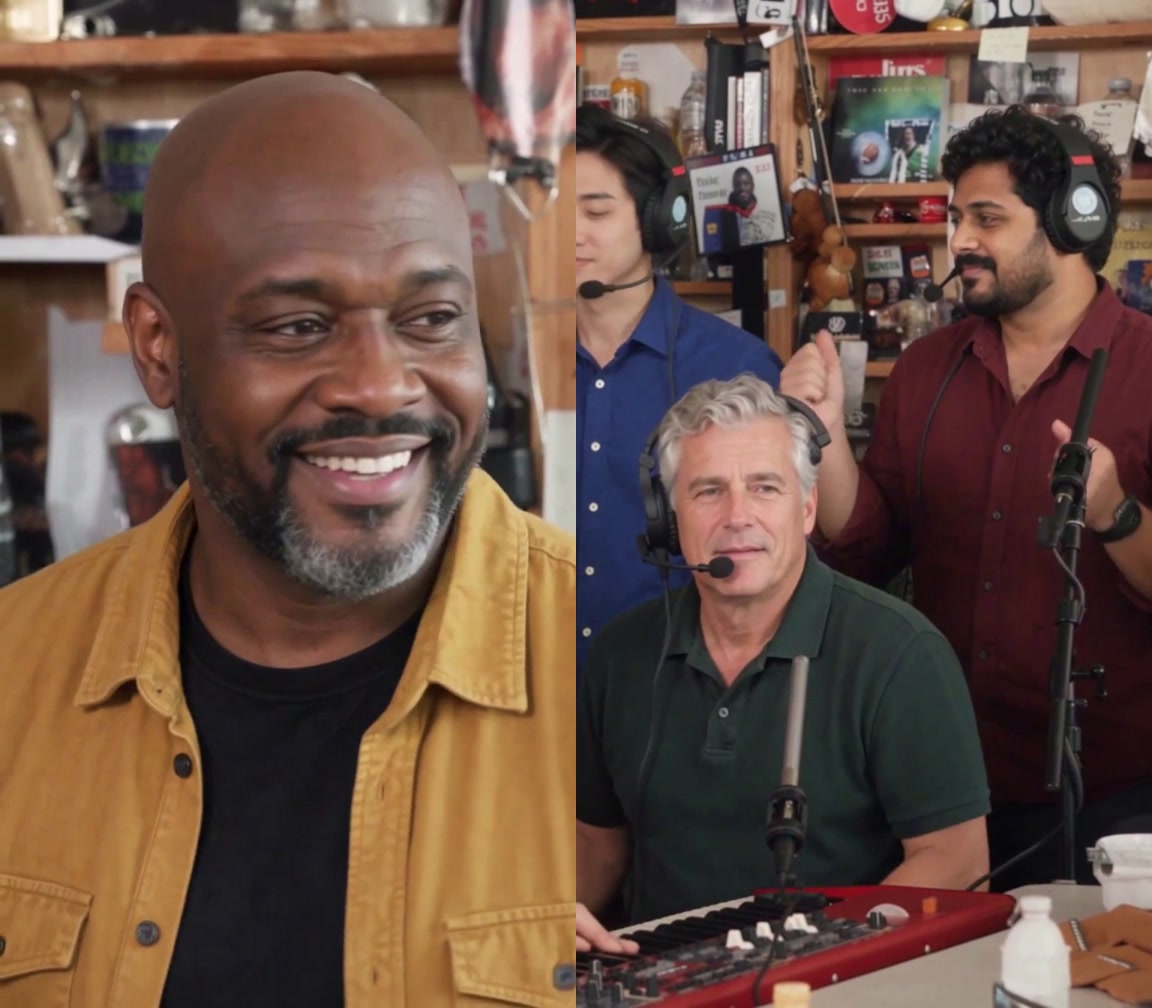
Tiny Desk AI turns your selected portraits into a personalized version of a fixed band performance. The output is a 15-second, 768P vertical MP4 with the original music. Reference photos describe the requested faces, hair and visible outfits. The cut and soundtrack keep their original timing.
Each video costs $9.90 USD, paid once. One purchase adds one video credit to your account; additional purchases add more. Buying a credit does not start a video. You choose the photos and use a credit when you are ready.
You need a Google account to sign in and at least one photo for the Lead. Left, Keys, Right and Sax are optional. You do not need to write a prompt, record yourself singing, or edit a timeline.
Make your video in five steps
1. Choose a photo for each person
Use one clear photo of one consenting adult for each seat. Keep the face unobstructed and show the hairstyle and clothing you want in the result. Use different people for different seats. The form accepts JPG, PNG or WebP files up to 5 MB each, with images at least 300 × 300 pixels.
A group selfie is not a replacement for five separate portraits. Read the photo guide if the face is small, blurred or covered.
2. Buy a video credit
Open Pricing and choose Make this. Sign in with Google if asked, then continue to Stripe Checkout. The base price is $9.90 USD for one video. Review the displayed currency and total before paying.
After payment is confirmed, your available video count increases by one. You can buy another credit now or return to create later. There is no subscription or automatic renewal.
3. Assign your cast in the studio
Open Make a video. Add the Lead photo, then fill only the optional seats you want to change:
- Lead: the opening close-up and the later lead close-up.
- Left: the performer on the left in the group shot.
- Keys: the seated keyboard player.
- Right: the performer on the right in the group shot.
- Sax: the final saxophone solo.
Empty optional seats request keeping the original people and clothes. See the five-person role guide for the shot timings and clothing tips.
4. Review and use one credit
Choose Create Tiny Desk AI video, check your selection, then confirm Use video credit. The selected photos are uploaded to private storage for this order. Using an available credit does not require another payment.
The order runs in the background. One credit stays reserved while the request is queued, processing or under review. Follow the order confirmation for progress; you can also return through your account’s order history.
5. Download the finished MP4
When the order shows Your video is ready, play the complete result and select Download video. Save it before the download link expires. The original music is already included and aligned with the 15-second cut.
Review the result before sharing
Check every selected person, especially the smaller faces in the group shot. Look at the visible clothing, the recurring lead, hands and instruments. AI can change details; a recorded example is not a promise that every input will look the same.
Only use photos you have permission to use. Check the rights and AI-labeling requirements that apply when sharing the video. Tiny Desk AI is an independent service, not affiliated with NPR or the performers. See the terms for permitted use.
Common questions
Do I need five photos?
No. Lead is required; the four other seats are optional. You can request just the lead, the lead plus the sax player, or all five people. The price is the same for one video.
Can I try the form with example photos?
Yes. Try all five example photos fills the form with the existing example portraits. Selecting those photos is free; submitting a new generation uses one video credit. The videos already shown on the site are recorded examples.
What happens if generation fails?
A confirmed failure returns the reserved video credit so you can try again or choose new photos. Pending or uncertain requests stay reserved while reviewed. A completed video that you want to remake uses another credit. Read payments and refunds for the distinction between returned credits and a payment refund.
Can I change the song or video length?
This workflow uses one fixed 15-second performance and its original soundtrack. It does not offer a song upload, custom length, voice cloning or a prompt editor.
If you are comparing tools, read Tiny Desk AI vs ReelMuse before choosing a workflow.