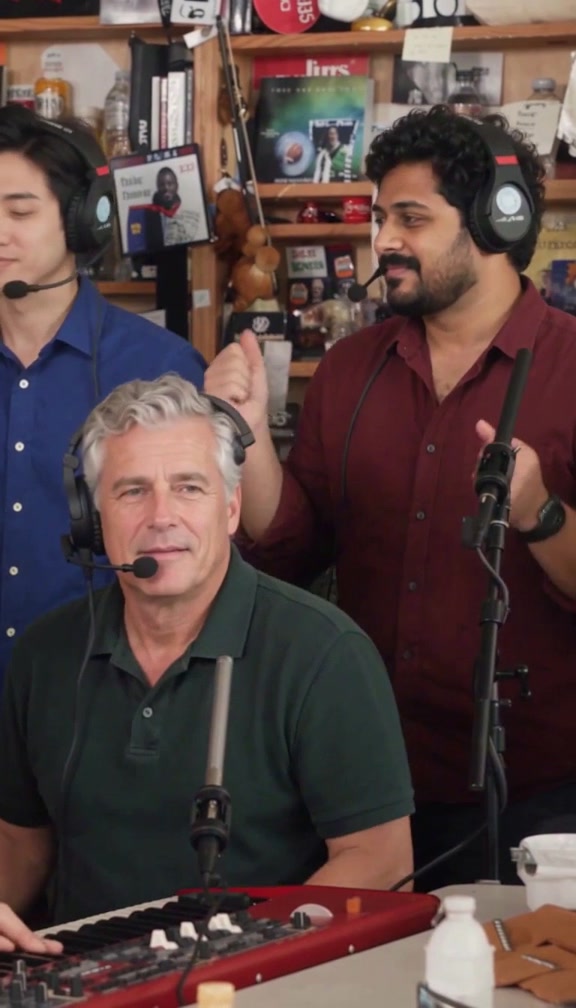
Start here
Tiny Desk AI personalizes one fixed band performance using 1–5 separate photos. The finished video is a 15-second, 768P vertical MP4, with the original music and shot timing. One video credit costs $9.90 USD. There is no subscription.
For the complete sequence, follow Make your first video: sign in with Google, buy a credit, choose your cast, confirm your selection and download the result. You can buy before uploading photos, or prepare your photos first.
Choose photos and assign the roles
Lead is required. Left, Keys, Right and Sax are optional. Upload a different consenting adult for each selected seat; one photo describes that person's face, hair and visible outfit. Leave optional seats empty to request keeping the original performers and clothes in those seats. Lead must still be selected even if you only want to add one optional bandmate.
- Photo requirements: supported files, framing, lighting and visible clothing.
- Five-person role map and recorded case: where each person appears, how selected roles are mapped, and all five photos used in the example.
Use JPG, PNG or WebP, up to 5 MB per image, at least 300 × 300 pixels. A group picture is not five separate references. Try all five example photos fills the form; it does not generate a free custom video.
Buy credits and understand payment
Open Pricing and choose Make this. If you are signed out, sign in with Google before Stripe Checkout. Each confirmed purchase adds one available video credit. Multiple purchases accumulate in the same account.
Creating a video reserves one credit. Success uses it; a confirmed generation failure restores it. A request under review stays reserved until resolved. A restored credit is different from a cash refund.
Read Video credits and payments for examples, currency options, delayed confirmation and refund review.
Follow progress and download
After you confirm Use video credit, the order runs in the background. You can return through your account's order history using the same Google account. The order confirmation shows status and, when ready, playback and Download video.
Save the MP4 before its download access expires. If a request is pending or under review, check that order instead of creating a duplicate. See Generation, downloads and troubleshooting for the next action at each stage.
What this workflow supports
| Supported | Boundary |
|---|---|
| Lead plus up to four optional roles | Lead is always required; arbitrary additional people cannot be added. |
| Face, hair and visible reference outfit | There is no separate clothing upload or clothing prompt editor. Details and likeness can vary. |
| A fixed 15-second performance with original music | No custom song upload, custom duration, voice cloning or timeline editor. |
| Existing recorded examples | They are previous results, not live previews of your uploaded photos. |
The five-person case is one recorded acceptance example. Partial selection is supported by the workflow, but every optional-seat combination has not been visually tested. Tiny Desk AI is independent and is not affiliated with NPR or the original performers. See Terms and Privacy.
For order-specific help, email support@tiny-desk-ai.site with the order reference and a description. Never send payment card details or a password.