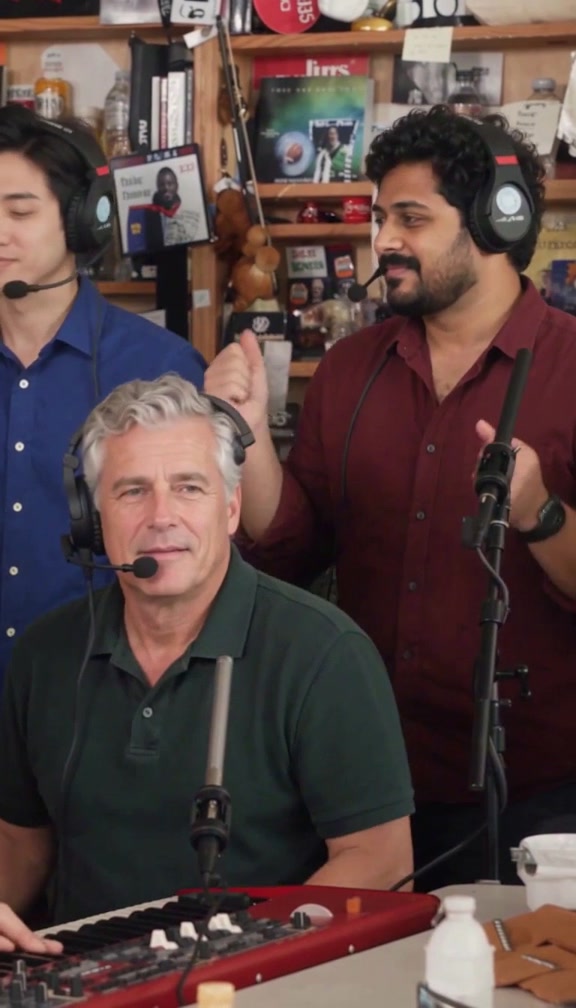
Check the photos before you create
Add the required Lead photo, then only the optional Left, Keys, Right and Sax photos you want to replace. Use one different consenting adult per selected seat, with a clear face and the outfit you want visible. Files must be JPG, PNG or WebP, at most 5 MB each and at least 300 × 300 pixels.
If a file is rejected, check its actual format, dimensions and size, then export a supported still image. Renaming an unsupported file extension does not convert it. See the photo guide and role map.
A group photo, repeated face or cropped-out outfit gives the workflow less usable information. Uploading only Lead requests changing Lead and keeping the four unselected seats; Lead cannot be omitted.
Find the order and understand its state
Sign in with the same Google account used for purchase. Open your account, find the order and open its confirmation. Buying a standalone video credit does not create a generation until you assign photos and use that credit.
| Stage | What to do |
|---|---|
| Payment pending | Check the payment confirmation and account balance. Do not assume a redirect proves payment or pay again immediately. |
| Queued or processing | Check the existing order for updates. It continues in the background; the credit stays reserved. |
| Under review | Contact support with the order reference. A request may have reached the provider; another submission is paused to avoid duplication. |
| Confirmed generation failure | Check that the reserved credit has returned, then retry or prepare new photos. Contact support if the balance is inconsistent. |
| Video ready | Play the result, then download the MP4. |
Generation time varies; the site does not promise a fixed completion time. An unchanged page does not prove failure. Check the current order and ask support if it remains unresolved.
Play and save the finished video
When the confirmation shows Your video is ready, select Download video. The file contains the fixed 15-second vertical performance with its original music. Save a copy before download access expires; the account is not a promise of permanent video storage.
If playback or downloading fails, reopen the confirmation while signed in, check your connection and try downloading the ready video again. Retrying a ready download does not require another generation. If the media has expired or access still fails, contact support; buying another credit will not repair the old download.
Review every selected person
Watch the whole video. Check the opening Lead, the group shot, the returning Lead and the final Sax shot. Inspect faces, visible clothes, hands and instruments. Small or obscured faces and clothing details can vary.
Empty optional seats are instructed to retain the original performers and outfits. This is a model instruction, not a guarantee that every pixel stays identical. The published five-person case shows a recorded result; it does not establish the quality of every photo or every partial selection.
The song, shot order and 15-second timing are fixed. A new creative version after a successful generation uses another credit. For a suspected delivery or quality issue, request review before starting another paid version.
Get help without exposing private details
Email support@tiny-desk-ai.site and include:
- The order reference displayed in your account or confirmation.
- What happened and when, including the visible status or error.
- Whether the issue concerns payment, a reserved credit, generation or download.
Do not post private photo links or signed download URLs publicly, and never send card security codes or passwords. Support reviews the existing order; it does not automatically start another generation or issue a cash refund. Read credits and payments or return to the help center.